KenKen Puzzles: Free Calcudoku Online
Play a fresh calcudoku puzzle from 3x3 to 9x9, or print a set with answers.
Recent
Your last 10 settings, saved only in this browser. Nothing is uploaded.
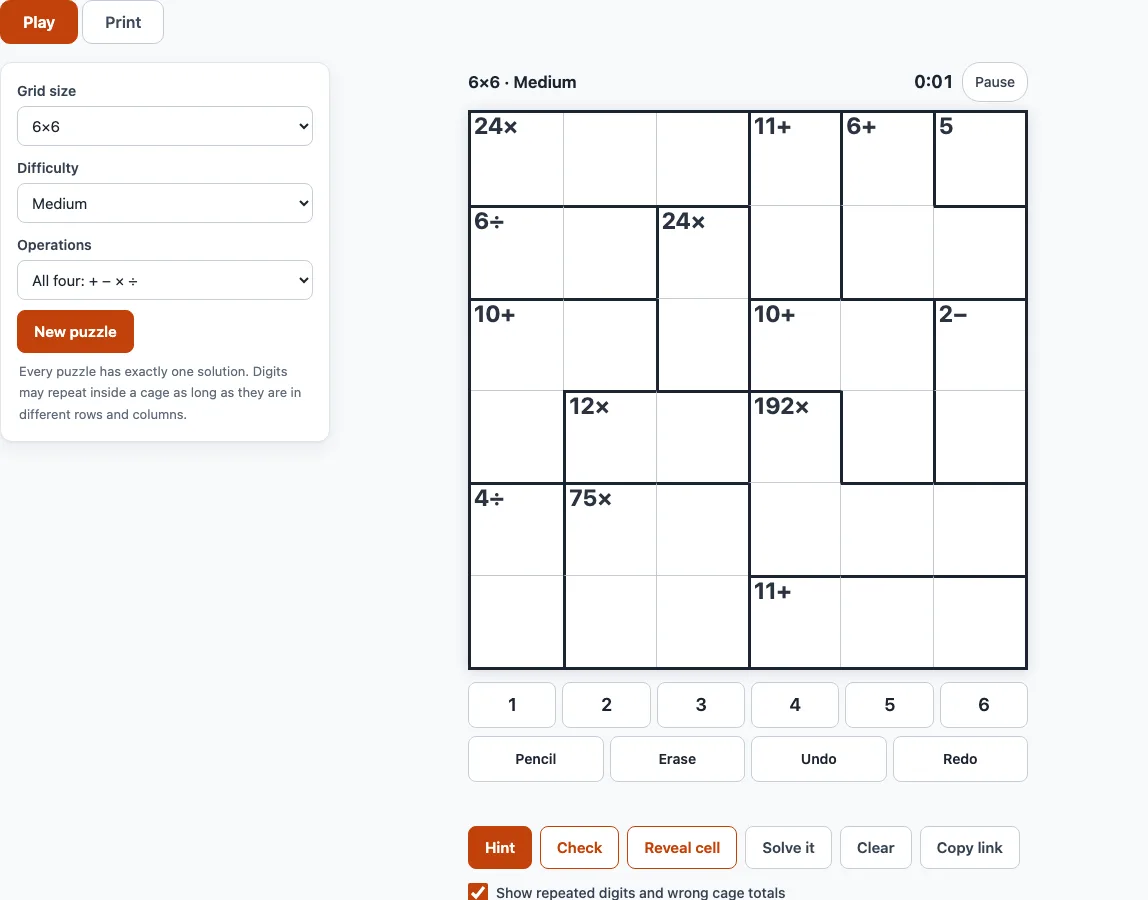
How to use this KenKen-style puzzle tool
- Pick a Grid size from 3x3 to 9x9, a Difficulty (Easy, Medium, Hard or Expert) and the Operations (All four: + − × ÷, Addition only, Addition and subtraction, or Multiplication and division). Changing a setting makes a new puzzle; New puzzle makes another one with the same settings.
- Tap or click a cell. Read the target and operation in the top-left corner of its cage, such as
12+or6×. - Enter a digit with the number pad (when a cell is selected, a cage helper line lists the digit sets that can make its cage), or type 1 to 9 on your keyboard.
- Turn on Pencil (or press P or Space) to write small notes instead of a digit.
- Press Undo or Redo (or Ctrl+Z) to step back through your moves.
- If you are stuck, press Hint. It names the technique for the next step, shades the cells, explains the idea in one sentence, and can do the step for you.
- Press Check to count wrong cells, Reveal cell to show one cell, or Solve it to fill the whole grid.
Use the arrow keys to move between cells and Backspace to erase a digit. A timer runs while you solve. Your progress is saved in the browser on this device, so a reload continues the same puzzle. Copy link gives a link with a ?p= code that opens the exact same puzzle elsewhere. The Print tab prints sets of puzzles with their answers.
What is a KenKen puzzle and how do you play it?
A KenKen puzzle is a grid of N rows and N columns. You fill it with the digits 1 to N so that each digit appears once in every row and once in every column. This is a Latin square, the same rule as sudoku without the 3x3 boxes.
The grid is split into cages, shown by heavy outlines. Each cage has a target number and an operation in its top-left corner. The digits in the cage must combine to give that target using that operation. A cage with two cells and a minus or divide sign always contains a larger and a smaller digit, and the order does not matter. A single-cell cage shows just a number, and that digit goes in the cell. A digit can repeat inside a cage only if the repeated cells sit in different rows and columns.
Is KenKen the same as calcudoku and mathdoku?
Yes. KenKen, calcudoku, mathdoku and kendoku all name the same type of puzzle. KenKen is a registered trademark, so this site uses “KenKen-style” or “calcudoku” for its own puzzles.
What is the difference between sudoku and KenKen?
Both puzzles use rows and columns that must each hold every digit once. Sudoku gives you starting digits and adds 3x3 boxes that also need every digit once. Calcudoku has no boxes and usually no starting digits, apart from the single-cell cages. The arithmetic in the cages is the only clue you get, so you solve by checking which digits can fit each target.
How do I start a KenKen puzzle?
Start with the easiest clues:
- Fill in every single-cell cage first.
- Look at two-cell cages with only one possible digit set. In a 4x4 grid, a two-cell 3+ cage can only be 1 and 2, and a two-cell 7+ cage can only be 3 and 4.
- Use the cage helper line to check the options for any cell you select.
- Once a digit is placed, cross it out of its row and column, because it cannot appear there again.
- Repeat these steps. Pencil marks help you track options until the grid fills.
Some cage sets have several options. In a 6x6 grid, a two-cell 1− cage can be 1 and 2, 2 and 3, 3 and 4, 4 and 5, or 5 and 6. Leave those cells for later and use rows and columns to narrow them down.
How does the difficulty setting work?
The difficulty depends on the solving steps a puzzle needs, not on its size. Easy puzzles can be solved with single-cell cages, the “only one digit fits” rule, the “only one place for a digit” rule and cage combinations. Medium puzzles also need pairs or a digit forced onto a line by a cage. Hard puzzles need a triple or one round of trial and error. Expert puzzles need deeper trial and error.
Frequently asked questions
Can I play KenKen free online?
Yes. Puzzles are generated on your device, so you can keep playing with new puzzles from the New puzzle button without creating an account.
Can I print the puzzle?
Yes. The Print tab prints sets of puzzles, and you can include the answers.
Which size should I start with?
Try a 4x4 grid first. Puzzles this small have fewer cells to track, so the cage rules become clear quickly. Move up to 6x6, the size the page opens with, once you are comfortable.
Is my progress saved if I close the page?
Yes. Progress is saved in the browser on this device, so a reload continues the same puzzle. To open the same puzzle on another device, use Copy link.
Can a digit repeat inside a cage?
Yes, but only if the repeated cells are in different rows and columns. For example, an L-shaped 4+ cage of three cells can contain 1, 2, 1.
Is this the official KenKen?
No. This site makes KenKen-style puzzles and is not affiliated with Nextoy, LLC or the KenKen trademark.
Does every puzzle have only one solution?
Yes. The built-in solver checks each puzzle before it is shown, so each one has exactly one solution.
Can I sell the KenKen-style puzzles I print here, for example in a KDP book or on Etsy?
Yes. The puzzles you make here are royalty-free for personal, classroom and commercial use, including KDP books, Etsy printables, Teachers Pay Teachers and print-on-demand products, and no credit is required. KenKen is a registered trademark of Nextoy, LLC, so give your book or listing a generic name such as “calcudoku” or “math doku”. The only limit is copying this site or its generator as a competing tool; see the terms.
Related tools
- 4x4 KenKen: Use this when you want a small grid to learn the cage rules.
- 6x6 KenKen: Use this for the standard medium-sized puzzle.
- 7x7, 8x8 and 9x9 KenKen: Use this when you want larger grids with more cages.
- Printable KenKen: Use this when you want to solve on paper.
- KenKen puzzle generator: Use this to create new puzzles with the settings you choose.
- KenKen solver: Use this to check a puzzle or see its full solution.
- KenKen rules: Use this for a short reference on how the puzzle works.